QR code



jodit-plugin-qrcode adds a toolbar button that turns any text or link into a QR code and inserts it as an image.
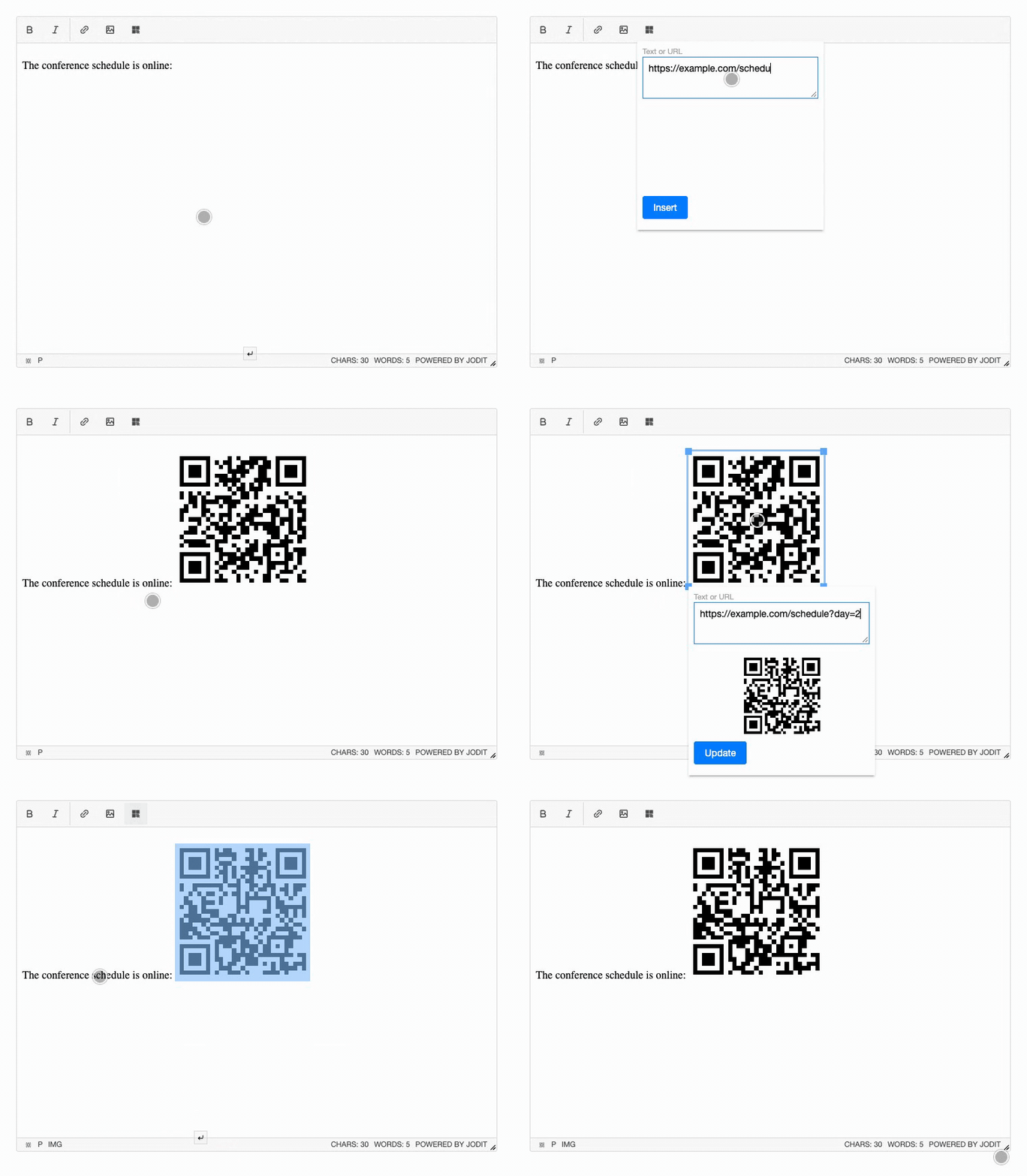
- Live preview: the code is redrawn while you type.
- Selection as input: select a link in the text and press the button, the dialog opens with it; the text stays and the code is inserted right after it.
- Editing: double-click an inserted code, or click it and press the button, to change its text; the image is updated in place and keeps its size.
- Works with the image tools: resizing and alignment work as for any image; the image properties dialog is not opened for QR codes.
- No server needed: the image is generated in the browser and inserted as a
data:URL (PNG or SVG). - Translations: English, German and Russian; follows the editor
languageoption.
The QR codes are generated by the qrcode library. It is installed together with the plugin and is already included in the browser build.
Try it
Press the QR code button in the toolbar, type a text or link and press "Insert". You can also type a link in the editor, select it and then press the button: the dialog opens with the selected text. Double-click the inserted code to change it; insert a regular picture with the image button to compare.
Jodit.make('#editor', {
    buttons: ['bold', 'italic', '|', 'link', 'image', 'qrcode', '|', 'source']
});
Quick start
import { Jodit } from 'jodit';
import 'jodit/es2021/jodit.min.css';
import 'jodit-plugin-qrcode';

Jodit.make('#editor');
Other ways to connect the plugin, including a CDN <script> tag and extraPlugins, are described in Installation. Settings are listed in Options.