Email link



jodit-plugin-mailto adds a toolbar button that inserts mailto: links. A click on such a link opens a new message in the reader's mail app with the recipients, subject and text already filled in.
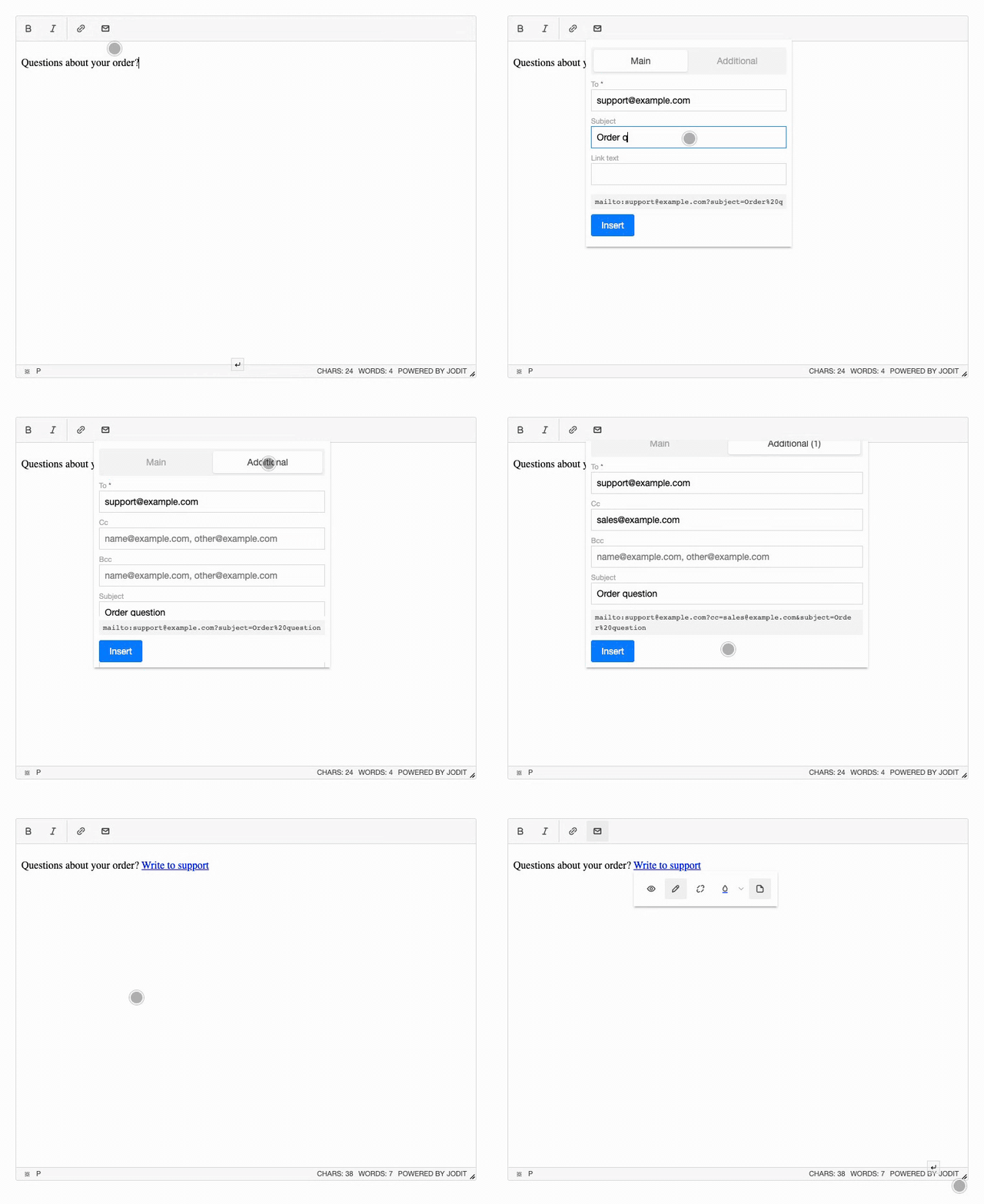
- Every field of a mailto link: To, Cc, Bcc, Subject and Body, plus the link text.
- Two tabs: "Main" is the short form with To, Subject and the link text; "Additional" is the full form with every field (To, Cc, Bcc, Subject, Body, link text). Fields on both tabs share their values. Any field can be moved to the short form or hidden.
- Required and optional fields: only To is required by default; any field can be made required with the options. If a field with an error is on the other tab, the dialog switches to it.
- Address checks: each address is checked before the link is inserted; several addresses per field are allowed, separated by commas, semicolons or spaces.
- Live preview of the resulting
hrefunder the form. - Editing: put the cursor in an existing email link and press the button, or click the link and use the pencil in its toolbar; change the fields, or remove the link and keep its text.
- Selection as input: select text and press the button to turn it into a link; a selected address goes into To.
- Translations: English, German and Russian; follows the editor
languageoption. - No dependencies, about 7 KB minified.
Try it
Press the email button in the toolbar, fill in the fields and press "Insert". Fields marked with * are required. Then open the source view to see the link.
Quick start
import { Jodit } from 'jodit';
import 'jodit/es2021/jodit.min.css';
import 'jodit-plugin-mailto';

Jodit.make('#editor');
Other ways to connect the plugin, including a CDN <script> tag and extraPlugins, are described in Installation. Settings are listed in Options.